The till itself
What the person behind the counter touches.
- Runs on a touchscreen, tablet or PC and installs as an app on the machine you already have
- Local-first: taps, quantities, discounts and totals are worked out on the device, never over the network
- Two screen layouts on one engine: a tapping layout for a bar, a scanning layout with a fixed keypad for a shop
- Keeps selling when the connection drops, and books what it sold the moment it is back
- Product grid, quantities, returns, line and order discounts, open-price buttons
- Split and part payments, tips, receipt reprint and guarded cancellation
- A customer display that mirrors the receipt live, including the promotion advantage
- Colour themes per device, and buttons laid out the way your people work
When the network is not there
A queue does not wait for a router. This is the part most tills get wrong.
- Offline means the server, not the network: the verdict comes from the traffic itself, not from a flag the device reports and not from a timer
- What cannot work without a server says so, with the reason on the button. Refusing is fine; failing silently is not
- Finished sales queue on the device and replay exactly once, keyed on the sale itself
- Receipts and the cash drawer keep working offline, driven by the agent on the machine
- A receipt that came in late is marked as such, so closing time shows what happened
Money, and being able to prove it
The till may be fast. The books have to be right.
- The server recomputes every total when a sale is booked; what the till calculated is provisional
- Receipt lines carry their title, price and tax frozen, so history does not change when a price does
- A payment attempt is recorded before anything touches the network, with a manual fallback and reconciliation on startup
- Cash-up per shift with denominations, a change-fund procedure, and a day close that will not close over open tabs
- Ledger-ready totals per pay method per tax rate, for the bookkeeper
- Several currencies, countries and tax regimes side by side in one installation, each booking in its own
Hospitality
Bars, kitchens and canteens.
- Tabs by name, table or team, parked and picked up by whoever is behind the bar
- Kitchen and bar tickets that print on booking, with who ordered what
- Options, part portions and bottle deposits, priced without anyone doing sums
- Split a bill in half, per item or by any amount
- A fixed touchscreen at the bar and tablets on the floor, working the same order
- A public site and menu card running off the same database as the till
Retail
Shops, counters and chains.
- Barcode scanning with no focus fiddling, and a price checker on the lock screen
- Staff sign in with a badge; staff discount follows the person across every store
- Gift cards: sell, redeem and report, including cards issued long before we arrived
- Customers on account, scoped so a till only offers the debtors that belong to it
- Its own assortment per store, so the same barcode scans the same offline as online
- Receipt numbers per till per business day, and receipt lookup by number
Card terminals
Not every island has a cloud terminal. So we wrote the protocol.
- SumUp readers driven over their cloud: the till sends the amount, the reader confirms
- A serial terminal protocol implemented to the bank's own specification, with the exchange readable byte by byte on the till itself
- The agent moves the bytes and signs the answer, so the server can verify what the terminal actually said
- A card charged in another currency reaches the terminal in that currency, at the rate the receipt records
Back office
One place for master data, and the numbers a head office asks for.
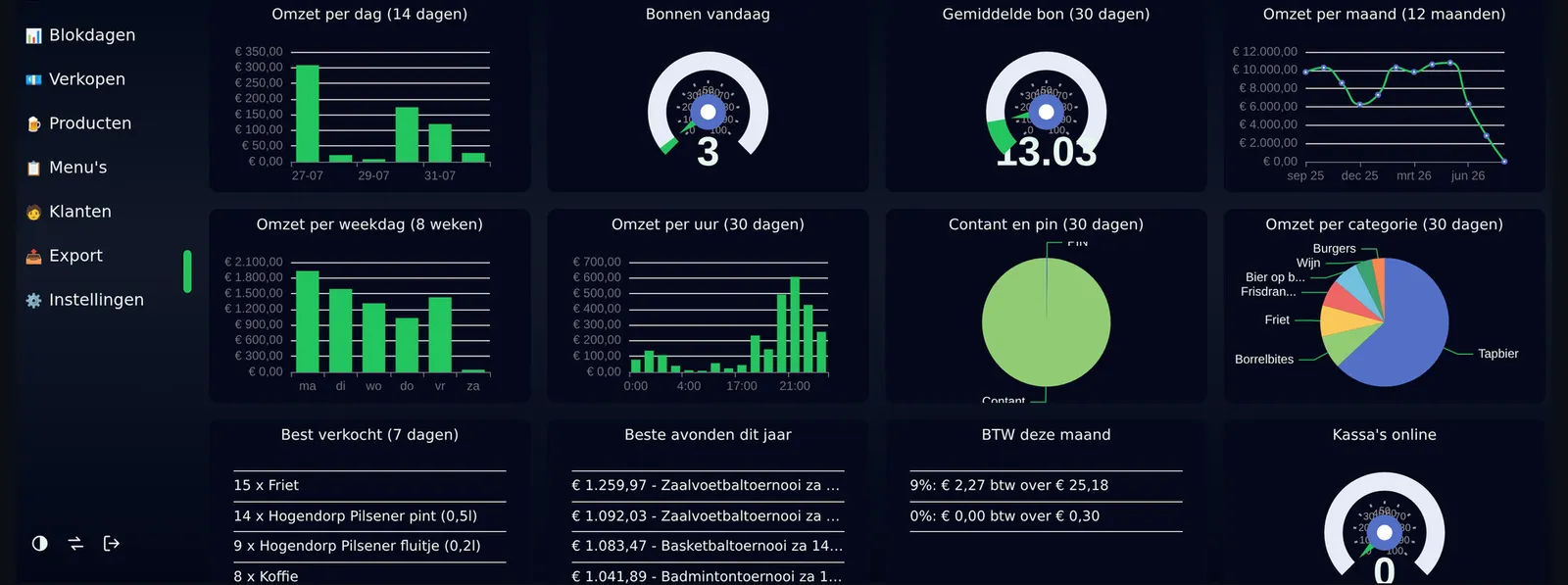
- Dashboard with turnover, busy hours, top sellers and payment mix, per store the viewer may see
- Day and period reports per store, per cashier, per receipt, with tax per rate
- Products, menus, buttons, prices and assortments managed from the back office
- Roles from cashier to head office, and a store scope that decides who sees which store
- A till centre showing every till live, with its version and its day
- Links to what you already run: bookkeeping exports, loyalty programmes, and older databases you cannot replace overnight
Running them, and keeping them running
A till is not delivered once. It is looked after.
- Every till boots from the same image and asks which back office it belongs to; nothing is configured per machine
- Taking a till into service is what revokes the old one, so a replaced machine in the stockroom stops receiving receipts
- Reboot, shut down and swap screens from the back office, never during an open day, and every command is written down
- The agent updates itself from a release the back office puts out, and reports the version it is running
- A report button on till and back office that sends a screenshot with the circumstances, and a thread to follow it
This is a capability list, not a promise that all of it is switched on for you. A counter gets what it needs; the rest stays out of the way. What your counter would actually use is the first thing an intake works out.